
My Classroom Whiteboard Tour: How I Set Up My Whiteboards to Make Teaching Simpler
Walk into my classroom, and you'll probably notice two very different whiteboards.
At first glance, they might look like they're serving the same purpose. But they couldn't be more different.
One is my classroom command center—the place where students can quickly find everything they need to stay organized throughout the day.
The other is my teaching board—a clean, uncluttered space where the real instruction happens.
Over the years, I've learned that giving each whiteboard its own job has made my classroom run more smoothly. Students know where to find information without asking me a hundred questions, and I have plenty of space to actually teach.
Here's a tour of both whiteboards and why I set them up this way.
Whiteboard #1: My Classroom Command Center
This whiteboard works harder than any other space in my classroom.
Instead of constantly answering questions like:
"What's for homework?"
"What do we need today?"
"Who's Student of the Day?"
"What's next?"
...my students simply look at the board.
The goal is simple: answer as many student questions as possible before they're ever asked.
Homework & Daily Agenda
Every morning I write our homework and any important agenda notes in the same place.
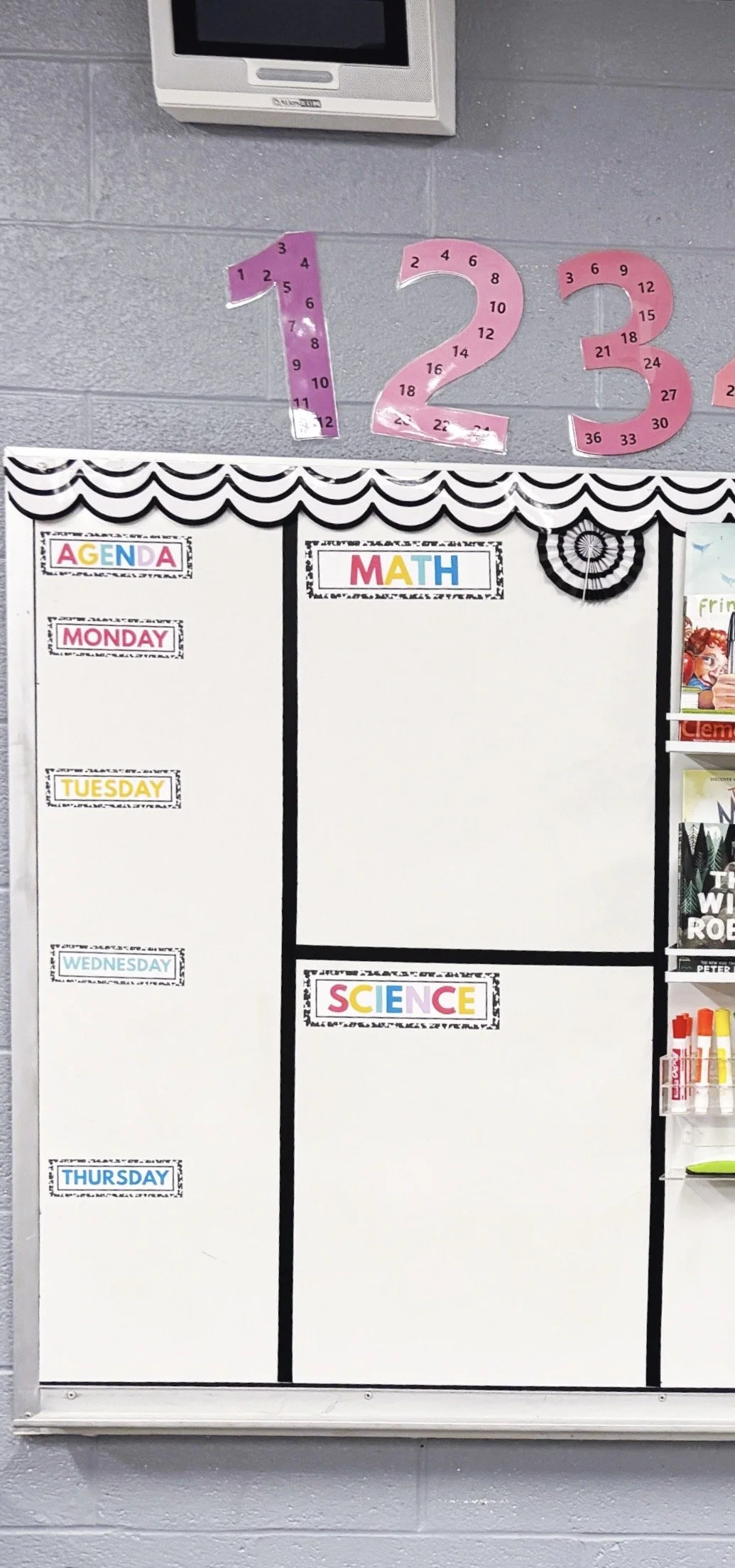
Students know exactly where to look when it's time to copy assignments into planners or check what needs to go home.
Keeping this routine consistent has made homework time much smoother because there's never any guessing about where the information will be posted.
Fun Fact: I actually printed most of these pieces on magnetic paper, rather than applying magnets to the back. Game. Changer.
Learning Objectives
I also display our learning objectives each day.
This helps students understand what we're working toward instead of simply completing another worksheet or lesson.
It's a small addition that keeps our daily learning focused and purposeful.
First Week Read-Aloud Display
One of my favorite parts of the board is a small magnetic shelf where I display our current read-aloud books.
During the first few weeks of school, I keep our back-to-school books here so they're always visible and easy to grab.
Students love seeing what's coming next, and it becomes another visual reminder of our classroom community.
Dry Erase Calendar
Instead of hanging a separate calendar somewhere else in the room, I keep a simple dry erase calendar directly on the board.
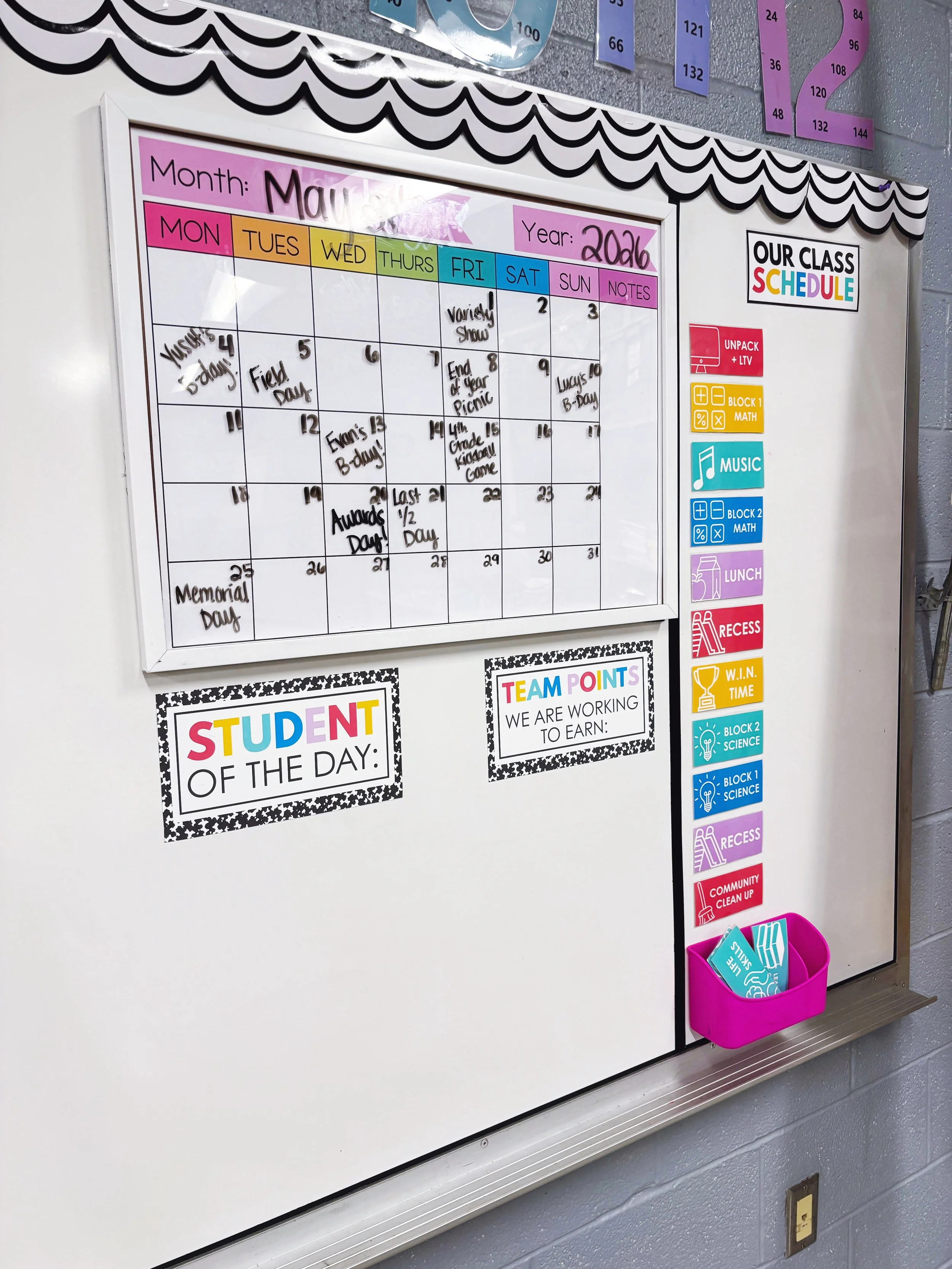
It's quick to update each month and gives students an easy reference for important dates, birthdays, and upcoming events. Ignore the fact that the calendar in my photo says “May”. I hadn’t erased the events from the end of last year yet!
Student of the Day & Team Points
I also reserve space for our Student of the Day and our team points.
These areas change daily, so keeping them on the whiteboard makes updating them effortless.
Students immediately check this section when they walk into the room each morning.
Daily Schedule
Our daily schedule stays posted where students can easily see it throughout the day.
When a student wonders,
"What comes after specials?" or
"When do we have recess?"
they don't have to interrupt instruction.
The schedule gives them the independence to answer those questions themselves. My favorite part about this schedule is that I put it on magnets, and I keep extra cards in a little magnetic basket on the same board. So, each day as our related arts class changes, I can easily swap it out. Or, when we have special assemblies or early release days, I can add those cards and re-arrange the order of the day without any stress. Kids LOVE a visual schedule, and these cards help immensely.
Why I Love a Classroom Command Center
When I first started teaching, I posted information anywhere I could find space.
Homework was on one wall.
The schedule was somewhere else.
Objectives were written wherever they fit.
Students spent just as much time looking for information as I did repeating it.
Creating one central command center completely changed that.
Now everything students need lives in one location.
It's easier for them.
It's easier for me.
And it makes the classroom feel calmer and more organized.
Whiteboard #2: My Teaching Board
My second whiteboard serves an entirely different purpose.
Unlike my command center, this board is intentionally simple.
Its job is to help me teach.
That's it.
Rather than filling every inch with decorations and posters, I leave most of the board open so I have plenty of room to model problems, solve equations, brainstorm ideas, and think out loud with my students.
Sometimes the best classroom organization strategy is simply leaving yourself enough space to work.
Chart Paper Easels
I hang two chart paper easels directly on this whiteboard.
These become our anchor charts throughout the year.
Instead of creating beautiful charts that disappear into a cabinet, our thinking stays visible while we're learning a new concept. I move the anchor charts to other parts of the room, based on what we are practicing the most, but having the chart paper right there on the board at the front of the room makes it so easy to teach on the fly with them.
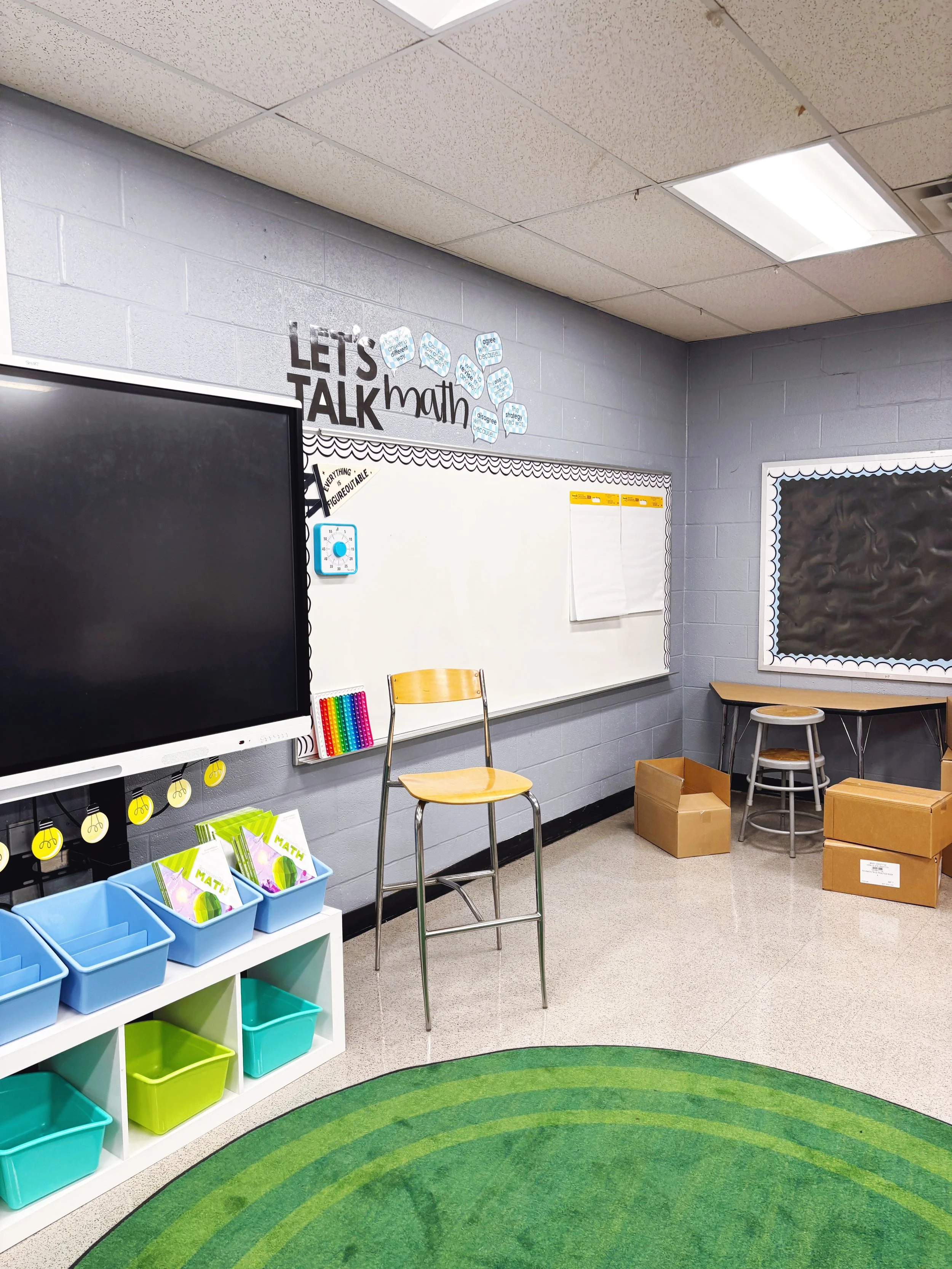
Students can easily reference previous lessons without me having to recreate them every day.
Large Visual Timer
One classroom tool I can't imagine teaching without is a large visual timer.
Whether we're working independently, transitioning between subjects, or completing partner work, students always know how much time remains.
It keeps transitions smoother and helps students develop better time awareness throughout the day.
Less Clutter = Better Teaching
It's tempting to cover every inch of a classroom with posters and decorations.
I've definitely been there.
But over time I've realized that my teaching board works best when it has breathing room.
The blank space isn't wasted.
It's where the learning happens.
Giving myself room to write, sketch, model, and think alongside my students has become one of the simplest changes I've made to my classroom setup.
My Favorite Classroom Whiteboard Organization Tips
If you're setting up your classroom this year, here are a few ideas that have made the biggest difference for me:
Section off your whiteboard (s) to give the parts of each one a clear purpose. If you only have one, prioritize the instruction. If you’re lucky enough to have two, make one more focused on student info and daily admin…and the other one is purely instructional.
Keep student information in one consistent location.
Leave yourself more writing space than you think you'll need, and keep other teaching tools like chart paper and smart boards close to that writing space.
Design your classroom so students can answer their own questions before asking you.
A thoughtfully organized whiteboard doesn't just make your classroom look nicer—it creates routines that help students become more independent all year long.
Shop the Classroom
If you're building your own classroom command center, these are the resources I use to keep my whiteboards organized and functional:
My goal has never been to create the most decorated classroom. I want to create one that runs smoothly, feels welcoming, and helps students know exactly what to do.
Because when your classroom systems work, you get to spend less time managing the room—and more time teaching the kids.