
Your Teacher Desk
Adopt the systems to keep your planning time organized…and beyond.

One of the last things you want to think about as you're starting a new school year is preparing sub plans or a substitute binder for a sick day. But when that sick day inevitably arrives, you will wish you had prepared ahead of time for it!
This substitute binder resource includes everything you need to prep for a day off. And the best part, if you write the plans now, you'll barely ever have to write them again!
What makes this resource different from other sub binder resources?
This download includes many of the same substitute binder forms that you are accustomed using in your classroom. But, this resource includes two things that make it a little different:
There are sample plans for lessons that are 80% complete. I have found that writing a skeleton sub plan before the school year gets in full swing cuts down my sub writing time by over 50%. Use the template provided in this resource to map out a sub plan that you can use and reuse all year long. Simply bold the words that you will need to go back in and change later!
This resource also includes emergency sub plan templates, and a cheat sheet full of no-prep teaching activities that you can write into your emergency plans! I am a big fan of having emergency plans prepped ahead of time, but not having to make copies for them each time I have to use them! This resource will give you the tools that you need to write quality emergency plans so you can forget about sub plans for the rest of the year!
What does this download include?
Binder Cover
Thank You Page with important phone extensions
Schedule Page
Roster and Attendance Directions
Dismissal Chart
Need-to-Know Routines and Procedures
Student Info (severe allergies, accommodations, etc.)
Sub Feedback Page
Daily Sub Plan template
Daily Sub Plan Example
Emergency Sub Plan template
Emergency Sub Plan Sample
List of 'emergency' teaching activities that require no printing, prep, or copying
All forms are completely editable. A Canva file and Powerpoint file are included in this download.
***************************************************************************************
Who created this product?
Stephanie Sutherland has served as a classroom teacher for nine years in Tennessee public schools, with one year as an instructional coach. She has her BA in child psychology, and her Masters in Elementary Teaching. She enjoys creating resources for lessons that she has done in her own classroom in an attempt to make other teachers' lives easier.
***************************************************************************************
TERMS OF USE - © Stephanie Sutherland-The Simple Classroom
Purchase of this digital download is for use in one classroom only. This item is also bound by copyright laws. Redistributing, editing, selling, or posting this item (or any part) on the internet are all strictly prohibited without first gaining permission from the author. Violations are subject to the penalties of the Digital Millennium Copyright Act. Please contact me with any questions!
hello@thesimpleclassroom.com

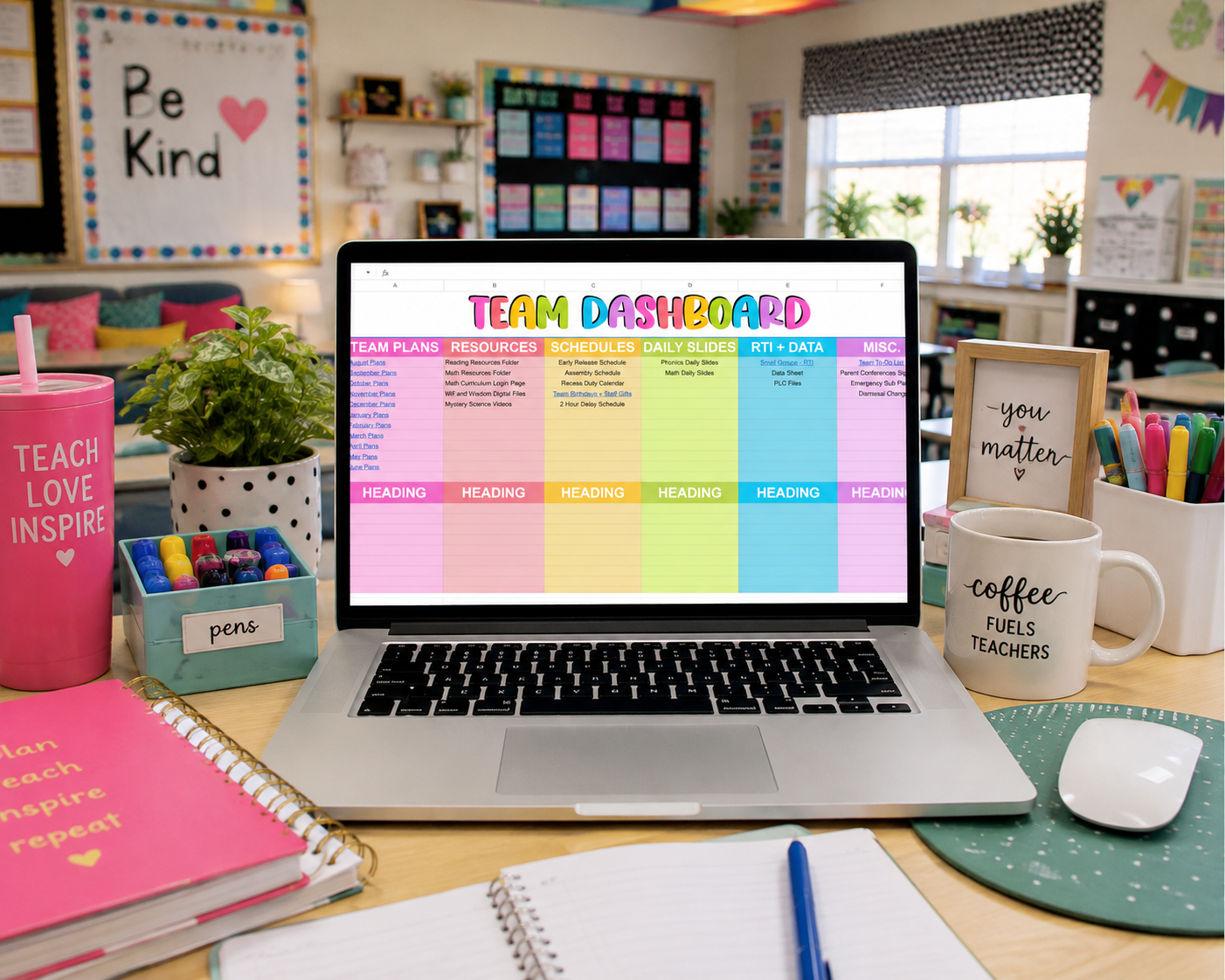
The Ultimate Digital Planning Tool for Teacher Teams!
Tired of juggling multiple links, team notes, and to-do lists? This Team Planning Dashboard is the all-in-one Google Sheets solution designed to help elementary teacher teams stay organized, streamline collaboration, and keep everything in one place.
Perfect for:
✅ Grade-Level Teams
✅ RTI & Intervention Planning
✅ Department Collaboration
✅ Keeping All Important Links in One Spot
✨ What’s Included?
✅ Team Dashboard: A central hub for quick access to lesson plans, curriculum sites, shared Google Drive folders, and important school documents—no more endless tab switching!
✅ Weekly Team Planning Pages: Organize and collaborate on weekly lesson plans, curriculum notes, and instructional strategies together.
✅ RTI Group & Planning Pages: Easily track student interventions and small group instructionwith dedicated planning sheets.
✅ Team Calendar: Keep up with birthdays, baby showers, meetings, and special events all in one spot.
✅ Task Assignment To-Do List: Assign tasks to team members, set due dates, and track progress.
✅ Quick Links Organizer: A structured way to keep all essential classroom links (district portals, school policies, shared files, etc.) easily accessible.
Why You’ll Love It
✨ Collaboration Made Simple – Work together in real-time and keep everything organized in one space.
✨ Easy Access to Everything – No more searching for lost links or digging through emails for important docs.
✨ Streamline Your Teaching Life – Less stress, more efficiency, and more time to focus on students!
How It Works:
✔ Instant download & access via Google Sheets (no special software needed!)
✔ Fully editable & customizable to fit your team’s needs
✔ Simply share with your team for seamless collaboration
Save time and stress by keeping your team on the same page! Grab the Team Planning Dashboard today and experience a more organized, efficient school year!
Get started now – click to download!
Would you like me to tweak this for a different platform or add any additional details?
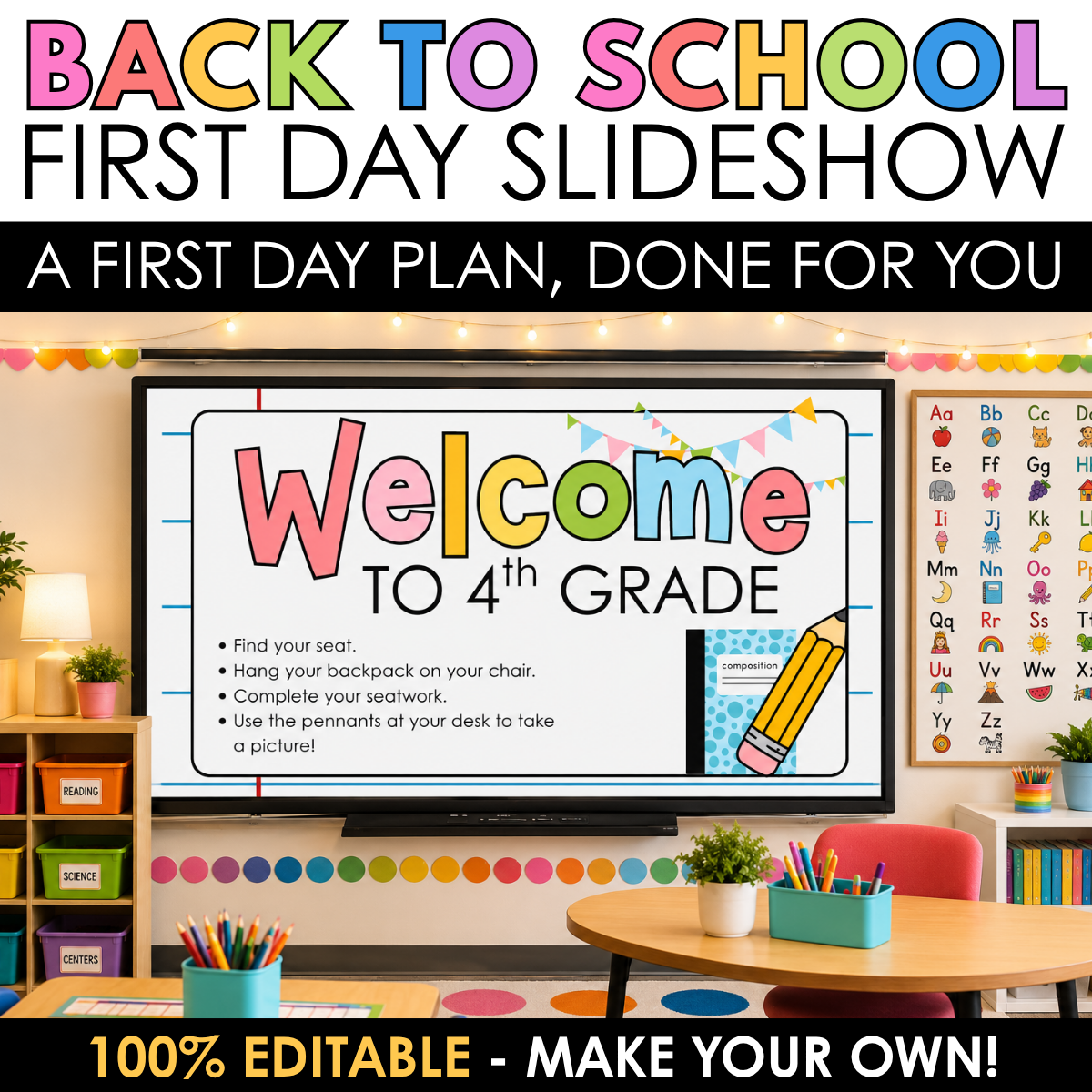
First Day of School Editable Canva Slides | Meet the Teacher, Procedures & Icebreaker Activities
Take the stress out of your first day of school with this editable Google Slides presentation designed to help you confidently guide students through the most important parts of Day 1.
Instead of wondering what to do next, simply open the slideshow and teach! These slides walk teachers through welcoming students, introducing themselves, teaching classroom procedures, building classroom community, and playing engaging icebreaker games—all while allowing you to customize every slide to fit your own classroom.
Whether you're a brand-new teacher or a veteran looking for a polished first-day routine, these slides will help you start the year feeling organized, prepared, and confident.
What's Included
⭐ Fully editable Canva Slides (text, fonts, colors, and images can all be customized)
⭐ Welcome slide with editable arrival directions
⭐ Meet the Teacher slide
⭐ Classroom procedures slide
⭐ Classroom values / classroom expectations slide
⭐ Community-building activity slide
⭐ Teacher planning notes throughout the presentation
⭐ Four Corners icebreaker game
⭐ 10 ready-to-use Four Corners question slides
⭐ Star Student activity
⭐ First Day reflection slide
⭐ Dismissal reminder slide
⭐ Bright, colorful classroom-friendly design
Why Teachers Love These Slides
✔ Everything is editable to match your classroom.
✔ Helps teachers stay organized throughout the day.
✔ Gives students a predictable, engaging first-day experience.
✔ Includes built-in teaching prompts to help you remember what to introduce and when.
✔ Saves hours of planning during one of the busiest weeks of the school year.
Designed to Save You Time
Throughout the presentation, you'll find optional recommendations for additional activities and resources that fit naturally into your first day. If you're looking for ready-to-use morning work, read-aloud activities, classroom values, or community-building games, those suggestions are included exactly where you might need them—but every slide can be edited to use your own materials instead.
Editable in Canva
Simply make a copy and personalize the presentation for your classroom!
You can easily:
Add your own classroom procedures
Change fonts and colors
Replace images
Insert your own photos
Edit activities
Rearrange or delete slides
Add additional slides
Create a first day your students will remember while giving yourself a clear, organized plan from the moment students walk through the door until dismissal.
Start the school year with confidence—and spend less time planning and more time building relationships with your new class!